
As I noted in my quick review, I love Whalebrew. Whalebrew has allowed me to use several tools I was too afraid of before in my day-to-day workflow. The biggest of these tools is Mermaid.
I’ve been using Mermaid for years to make quick and simple Gantt charts and other diagrams. Up to now, however, my workflow has involved saving my Mermaid file in a text document and copying and pasting the text into the online Mermaid generator when I need a new image.
Read more...It seems that each and every day there is a cool command line tool to try out to help automate or generally improve some part of my day-to-day. The problem with many of these tools, however, is that they require all sorts of dependencies (Ruby, Python, Node.js) each of which have their own package managers and sub-dependencies. Homebrew solves this for many things, but they are pretty picky about what they allow in, so more often than not, I’m left trying to decide if I risk messing up my machine by installing a web of dependencies or skip giving the tool a try. Not any more.
Read more...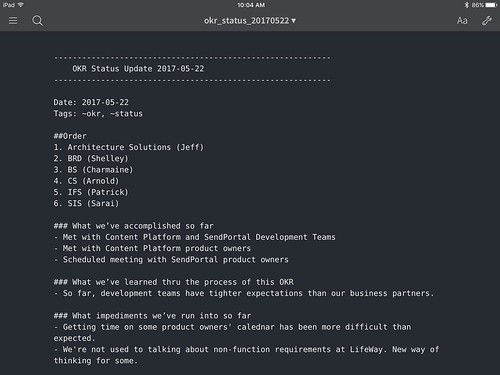
Switching to plain-text notes using the Sublime Note package was a huge boon to my daily productivity. Not only was Sublime Text more stable than the previous alternatives, it used less memory, was easier to search thanks to Alfred/Spotlight, and — when paired with Dropbox — synched quickly across all of my devices.
My only problem was my inability to easily edit notes on my iPad. Yes, I could take my MacBook Air with me from meeting to meeting, but thanks to my Microsoft Universal Keyboard I was now too spoiled by my small and light iPad mini + keyboard setup. I needed an iOS plain text editor that synched with Dropbox.
Read more...Several months ago I followed the lead of my friend Jon Boulineau and switched from Evernote/Simplenote/OneNote for my note taking needs, to Sublime Text using the Sublime Note package.
Sublime Text uses significantly less system resources than the alternatives and is incredibly stable at all times. Further, when synched via Dropbox, all of my super-small, plain-text note files are instantly available on all of my devices — mobile and otherwise.
The Sublime Notes package gives one syntax highlighting and about everything one might need, except for a default note template. Creating this in Sublime Text 3 is a very easy operation.
Read more...I’ve been an Alfred user for many years, but until I moved to LifeWay, I’d never had the opportunity to use a Macintosh — and thus Alfred — as part of my daily work. For me, Alfred was always about quick launching applications, doing quick calculations, and checking the spelling and definition of words. Thanks to my daily use at LifeWay and the guidance of the Mac Power Users, I’ve upped my Alfred game significantly over the last several months. Today, I’m going to share one of the many Alfred workflows I’ve come to rely on.
Read more...



 ]
] ]
] ]
] ]
] ]
]