
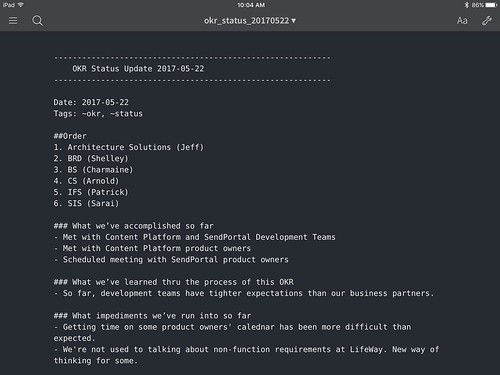
Switching to plain-text notes using the Sublime Note package was a huge boon to my daily productivity. Not only was Sublime Text more stable than the previous alternatives, it used less memory, was easier to search thanks to Alfred/Spotlight, and — when paired with Dropbox — synched quickly across all of my devices.
My only problem was my inability to easily edit notes on my iPad. Yes, I could take my MacBook Air with me from meeting to meeting, but thanks to my Microsoft Universal Keyboard I was now too spoiled by my small and light iPad mini + keyboard setup. I needed an iOS plain text editor that synched with Dropbox.
Read more...Several months ago I followed the lead of my friend Jon Boulineau and switched from Evernote/Simplenote/OneNote for my note taking needs, to Sublime Text using the Sublime Note package.
Sublime Text uses significantly less system resources than the alternatives and is incredibly stable at all times. Further, when synched via Dropbox, all of my super-small, plain-text note files are instantly available on all of my devices — mobile and otherwise.
The Sublime Notes package gives one syntax highlighting and about everything one might need, except for a default note template. Creating this in Sublime Text 3 is a very easy operation.
Read more...I’ve been an Alfred user for many years, but until I moved to LifeWay, I’d never had the opportunity to use a Macintosh — and thus Alfred — as part of my daily work. For me, Alfred was always about quick launching applications, doing quick calculations, and checking the spelling and definition of words. Thanks to my daily use at LifeWay and the guidance of the Mac Power Users, I’ve upped my Alfred game significantly over the last several months. Today, I’m going to share one of the many Alfred workflows I’ve come to rely on.
Read more...It’s been three and a half years since I closed Sublime Text and entered the world of Outlook and PowerPoint. In a lot of ways management has been what I thought it would be. There are poltics. There are constant temptations to compromise for my benefit over the developers on my teams. There are boring budgeting and strategy meetings. There are e-mails. So. Many. E-mails.
Overall, however, management has, for me, been exactly what I set out for it to be at the beginning. I willfully entered management to be the manager I always wanted — and often needed — when I was a developer. I work hard to cut back bureaucracy, politics, and process from my teams. I look for ways to empower developers to self-lead and self-manage their craft. I strive to be there for developers when needed and be completely invisibile to them when I’m not.
Read more...

Development teams are a lot like a church congregation.
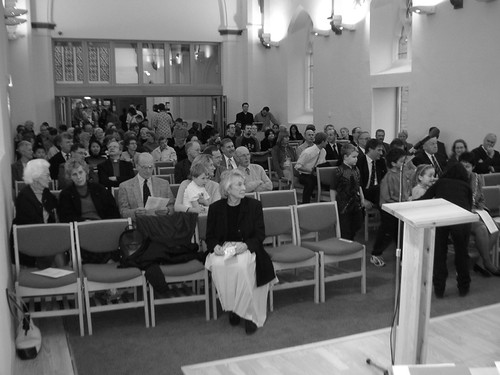
A congregation is a community of people with special skills and jobs. You have pastors, preachers, choir directors, ushers, worship leaders, organists, etc.

It takes everyone working together doing their special jobs to make a worship service happen.

Development teams are also a community of people with special skills and jobs. You’ve got developers that specialize on certain parts of the stack, people who do different types of testing, people who have specialties in breaking down and managing the work of developing software, etc., etc., etc.
Read more...Back in late February of this year the Liturgy and Common Worship Task Force of the Anglican Church in North America (ACNA) released an initial version of a lectionary for the upcoming ACNA Book of Common Prayer (BCP). As an Anglican seminarian, I was, naturally, very intrigued by the new lectionary. Though my parish doesn’t — yet? — use the new lectionary, looking at the PDF document released by the Task Force made me immediately clear that anyone wanting to use the new lectionary would need something more. For the Revised Common Lectionary (RCL) there are several sites online and numerous applications to assist people with finding the readings for a given day. I knew people would want something similar for the ACNA lectionary.
Read more...



 ]
] ]
] ]
] ]
] ]
]